 sales@dasinfomedia.com


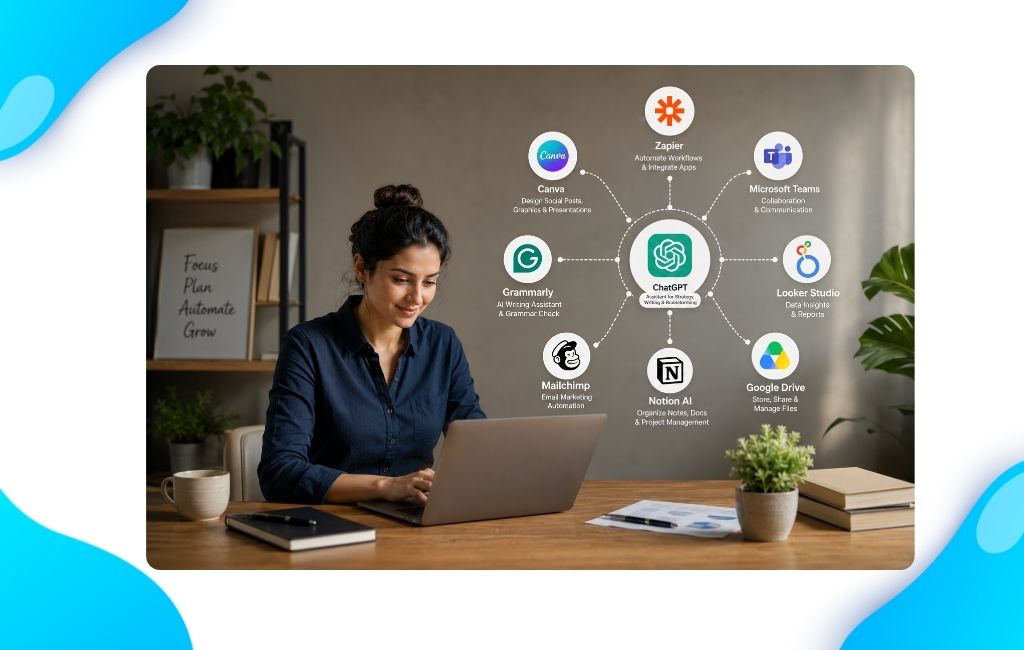
Is your Team already using AI?
If you run a Small Business with 5–50 employees, chances are someone on your team is already using AI.
 Your sales rep uses ChatGPT to write emails.
Your marketing person uses Canva AI or Claude to create social posts and content.
Your operations manager uses AI to summarize meeting notes and create action items.
That’s Great. But here’s the Problem: Everyone is using AI differently. Some employees save hours every week. Others barely use it. And the business itself doesn’t become more efficient.
The Real Problem isn’t AI
Most Businesses already have access to AI Tools. The real challenge is that AI isn’t part of how work gets done – it’s being used randomly by individual employees. That creates three common problems.
Problem 01: Inconsistent Results
- Two employees use AI for the same task.
- One uses ChatGPT. Another uses Claude or Microsoft Copilot.
- Each person gets different results.
- Output quality becomes inconsistent.
- Managers spend extra time reviewing and correcting work.
- The time saved by AI is lost during revisions.
- Productivity improvements become difficult to measure.
What Businesses Need:
- A simple process everyone follows.
- Not ten different ways of using AI
Problem 2: Knowledge Stays With Individuals
- One employee discovers a great OpenClaw AI Prompt.
- Nobody else knows about it.
- If that employee leaves, the process leaves too.
What Businesses Need:
- Use OpenClaw AI to create, organize, and share AI workflows across teams
Problem 3: Security Risks Increase
- Employees may unknowingly paste Customer Information into public AI tools.
- Businesses handling client Data face unnecessary Risks.
- Financial information may be exposed.
- Sensitive documents could be shared unintentionally.
- Data privacy and security concerns increase.
What Businesses Need:
- What information can be shared
- What information should stay private
- Which AI Tools are approved
What Successful Small Businesses Are Doing Differently
Instead of asking: “Which AI tool should we buy?”
They ask: “Which Business process should we improve?”
That’s where real AI ROI begins.
AI isn’t about collecting more tools—it’s about solving real business problems, improving workflows, and helping teams work smarter.
Start with the process. Then choose the AI.
That’s how businesses create measurable results.
1. Customer Support Automation
Before: Your Team Answers the same Questions every day.
Examples:
- Pricing Questions
- Appointment Requests
- Product Information
- Order Updates
AI Tools: Intercom, ChatGPT, Zendesk


Business Impact:
Faster Response Times
Better Customer Experience
Less Repetitive Work
2. Lead Generation & Follow-Up
Before: Leads arrive through your website, but follow-ups are often delayed or missed.
Examples:
- Website Contact Forms
- Demo Requests
- Pricing Inquiries
- Sales Enquiries
AI Tools: Website Forms, HubSpot, ChatGPT, Mailchimp


Business Impact:
Faster Lead Response
More Qualified Conversations
Higher Conversion Rates
3. Marketing Content Creation
Before: Creating blogs, newsletters, and social media content takes days.
Examples:
- Blog Articles
- Email Newsletters
- Social Media Posts
- Marketing Campaigns
AI Tools: Claude, Canva, Buffer


Business Impact:
More Content Produced
Faster Campaigns
Consistent Marketing
4. Sales Proposal Automation
Before: Every proposal starts from scratch, and sales teams spend hours creating documents.
Examples:
- Sales Proposals
- Project Estimates
- Client Agreements
- Contract Documents
AI Tools: HubSpot, Microsoft Copilot, PandaDoc, DocuSign


Business Impact:
Faster Proposal Delivery
Shorter Sales Cycle
Better Customer Experience
5. Meeting-to-Task Automation
Before: Important action items get lost after meetings.
Examples:
- Meeting Notes
- Action Items
- Task Assignments
- Project Follow-Ups
AI Tools: Zoom, Otter.ai, ChatGPT, Asana


Business Impact:
No Manual Note-Taking
Better Accountability
Faster Project Execution
6. Employee Training & Knowledge Sharing
Before: Employees ask the same questions repeatedly, and important processes live inside people’s heads.
Examples:
- Employee Onboarding
- Company SOPs
- Internal Processes
- Team Knowledge Base
AI Tools: Notion, ChatGPT, Slack, OpenClaw


Business Impact:
Faster Onboarding
Less Manager Interruption
Better Knowledge Sharing
The Winning Formula
The Most Successful Businesses aren’t Replacing People with AI.
They’re creating better Workflows.
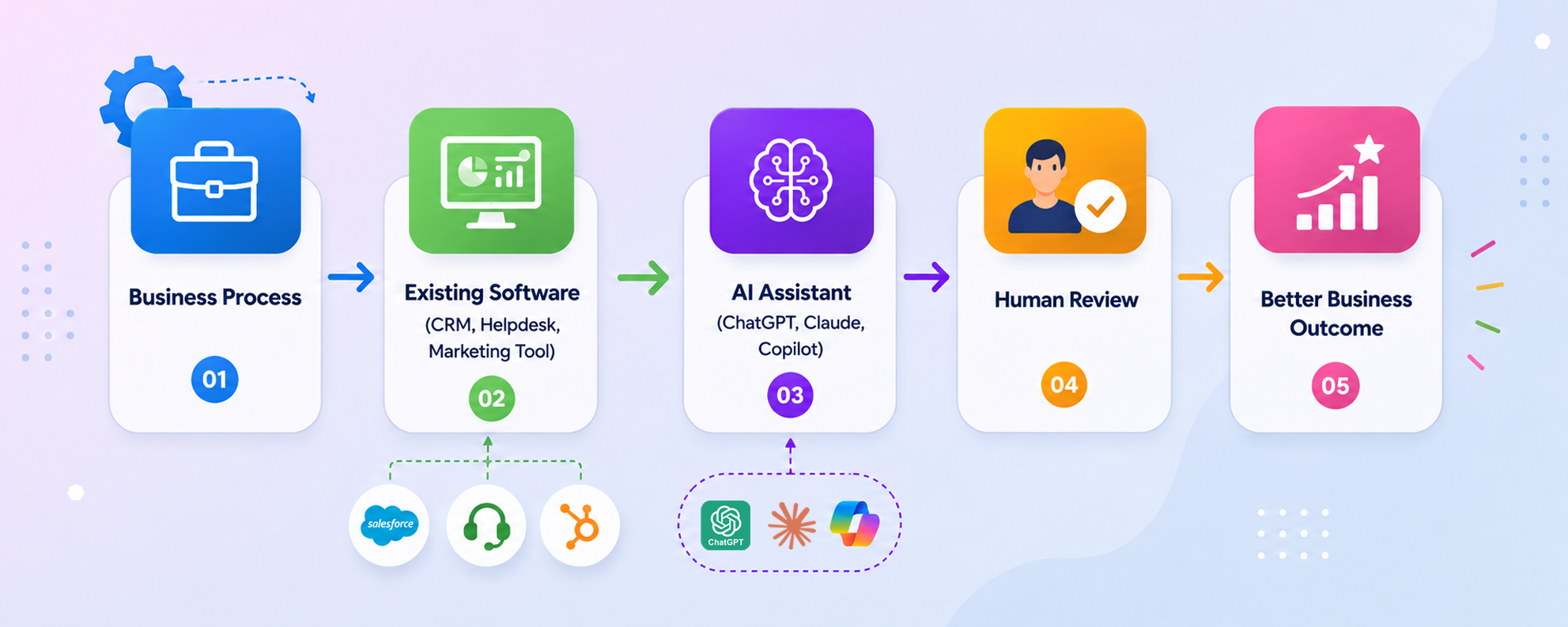
Most successful AI Processes follow this Pattern:
A Quick AI Readiness Check
Ask yourself:
If most answers are “No,” you’ve found your opportunity.
Related Blogs




 +1 813 467 8539
 sales@dasinfomedia.com