 sales@dasinfomedia.com


Client:
| Industry | Construction & Permitting Services |
| Location | Tampa, Florida, USA |
| Services | Workflow Automation, Business Process Automation, Systems Integration |
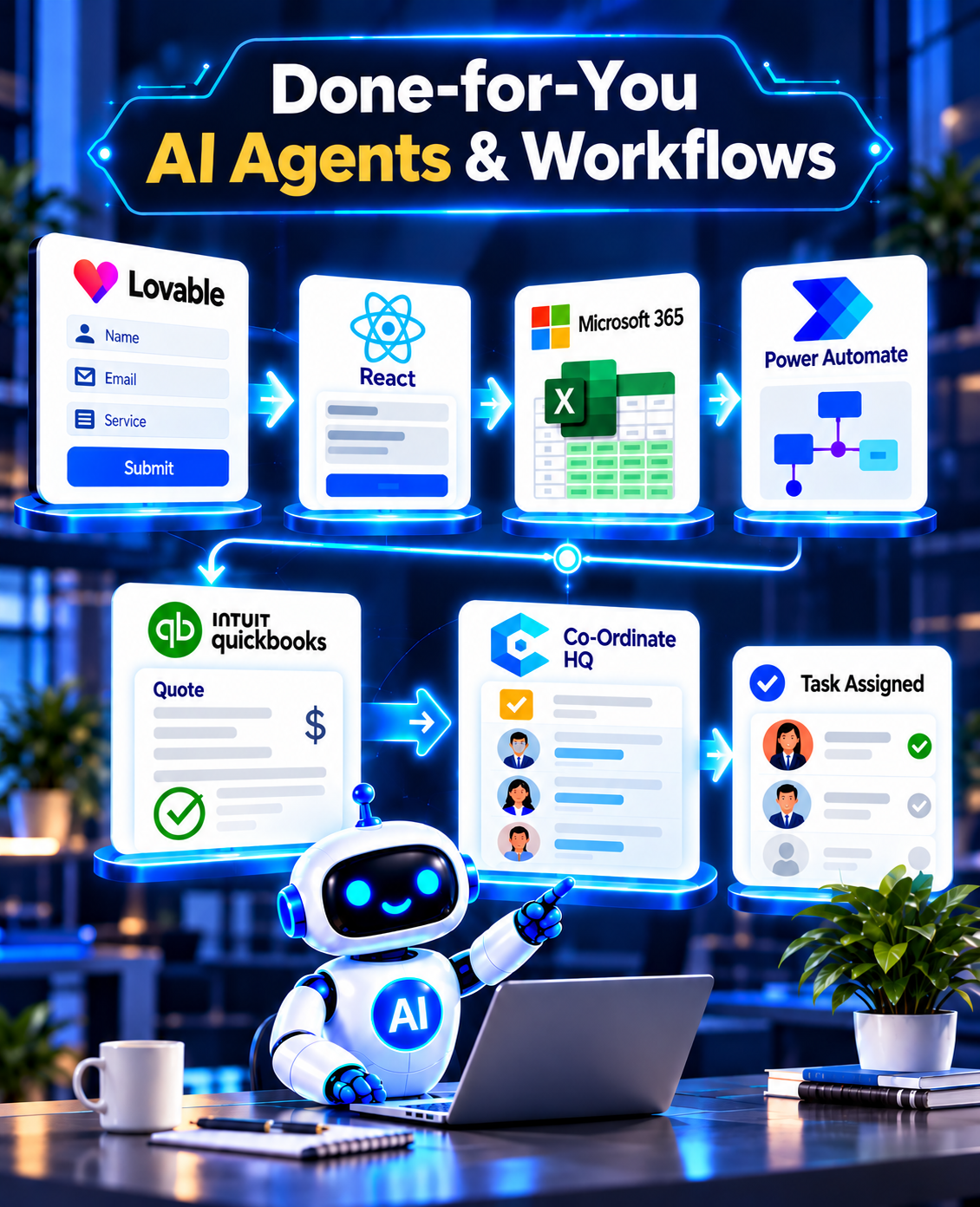
| Solution | Automated Intake-to-Execution Workflow |
| Technology | Microsoft Power Automate, Twilio, QuickBooks Online, Coordinate HQ, Microsoft 365, Lovable, React |
| Project Type | AI Workflow Automation |
Technology:
- Lovable: website front-end build and hosting
- React: custom intake form
- Microsoft 365 Excel: automatic entry logging
- Microsoft Power Automate: workflow automation and triggers
- QuickBooks Online: quote generation
- Coordinate HQ: task creation and task assignmen
42 Employees
3 Locations
6
18 Days
9 Weeks
The Challenge:
Growth Was Creating More Manual Work:
The business was growing, but its operational workload was growing even faster.
Leadership had already planned to hire three additional employees across sales, operations, and finance. The problem wasn’t a lack of capable people. The problem was that experienced employees were spending too much time on small, repetitive tasks that required speed but very little judgment.
Before an after-hours lead got a reply
average invoice approval cycle
Planned Team Expansion
Planned Team Expansion
Dasinfomedia identified an opportunity to automate the work before the company added more headcount.
The Audit:
Finding Where Time Was Being Lost
Dasinfomedia reviewed the existing registration flow, then extended it with a conditional student section, mapped the new answers to BuddyBoss profile fields, and built a searchable directory on top of the stored data.
Individual members see the normal form. When a person selects the student category, the student questions appear, and the answers are saved to their profile where they can edit them later.
147 Recurring Tasks
Six areas accounted for approximately 1,900 hours of annual work.
| Manual Work | Annual Hours | Est. Annual Cost |
|---|---|---|
| Lead intake & routing | 420 | $21,000 |
| Invoice matching & follow-ups | 380 | $19,000 |
| Recurring report preparation | 264 | $13,200 |
| Tier-1 customer support | 510 | $25,500 |
| Client onboarding | 190 | $9,500 |
| CRM & accounting data entry | 136 | $6,800 |
| Total | 1900 | $95,000 |
The key finding: 62% of the identified hours were being spent by four employees whose primary value was judgment, relationships, and decision-making. The opportunity wasn’t simply to save time. It was to give experienced employees their time back.
Responds to inbound leads around the clock. Checks the CRM, enriches lead information, identifies the appropriate sales representative, prepares a response, offers available meeting times, and sends a summary to the sales team.
Human checkpoint: high-value or ambiguous leads are reviewed before anything is sent.
Handles repetitive invoice workflows automatically. Extracts invoice information, matches invoices against purchase orders, routes clean invoices for approval, and identifies exceptions for human review.
Result: finance spends less time chasing approvals, more time on exceptions.
Connects the business's existing reporting sources and prepares recurring reports automatically. Collects the numbers, assembles the reporting package, identifies significant variances, and prepares a draft.
The operations lead still owns the decisions. The agent handles the preparation.
Handles common Tier-1 customer questions using the company's approved knowledge base. When a question falls outside its confidence threshold, the conversation is escalated to a human with the relevant context already attached.
No guessing. No unnecessary escalation. No lost context.
Manages the repetitive steps involved in bringing a new client onboard. Tracks the nine-step checklist, sends scheduled communications, monitors incomplete tasks, and alerts the account manager when human intervention is required.
Keeps customer and financial information consistent across connected systems. Instead of employees repeatedly entering the same information into multiple platforms, the agent manages the synchronization workflow.
The AI agents were deployed inside the workflows the team already understood.
The Results:
Less Repetitive Work, More Capacity
After deployment, the same operational metrics were measured again.
| Metric | Before | After 90 Days |
|---|---|---|
| Lead response time | 31 hours | 4 minutes |
| Invoice approval cycle | 6.2 days | 1.4 days |
| Monthly report preparation | 22 hours | 3 hours |
| Tier-1 tickets resolved without human | 0% | 68% |
| Annual hours recovered | – | 1,900 |
| Planned hires | 3 | Avoided |
1,900 hours
The biggest change wasn’t simply the number of hours saved. It was what the team could do with those hours.
Instead of preparing reports, chasing approvals, copying data, and responding to repetitive questions, employees could spend more time on customers, decisions, sales, and higher-value business work.
Why the Dasinfomedia Approach Worked
Dasinfomedia didn't start by asking, "Where can we put AI?"
We started by asking: "Where is your team spending time?"
The two-week audit identified the repetitive work that created the greatest operational burden before any automation was built.
Not every task should be automated. High-value leads, billing issues, exceptions, and sensitive customer situations still require people.
That's why every workflow was designed with human checkpoints where judgment matters.
AI handles the volume. Your team handles the decisions.
The business didn't need to replace its CRM, accounting software, communication tools, or reporting systems.
Dasinfomedia connected the AI agents to the existing technology stack — reducing disruption and letting employees keep working in familiar environments.
The From Manual Tasks to AI Workflows
This Case study Demonstrates a Simple Principle: Don’t hire people to handle work that software can reliably handle.
Before adding headcount, identify the repetitive work consuming your team’s time. Dasinfomedia can audit those workflows, identify automation opportunities, build the required AI agents, integrate them with your existing systems, and manage the deployment.
From Task audit to AI Agent Deployment Done for You.
Book a working session with Dasinfomedia and see what your own audit would find.

 +1 813 467 8539
 sales@dasinfomedia.com